


Tutorial: MacBook Air 13″ A1466 2010-2017 Bottom Case Replacement
Is the bottom case of your MacBook Air 13″ A1466 scratched, cracked or damaged? This tutorial guides you step by step through replacing the underside of your MacBook with ease, with no particular technical skills required.
Compatible with the 2013, 2014, 2015 and 2017 A1466 models, this clear, illustrated guide helps you make your device look as good as new, with the right tools and the right replacement part.
Repair your MacBook Air 13″ yourself, safely, without going to a professional repairer — quick, cost-effective and accessible to everyone.
Compatible models:
MacBook Air 13″ A1369 Late 2010
MacBook Air 13″ A1466 Mid 2011
MacBook Air 13″ A1466 Mid 2012
MacBook Air 13″ A1466 Mid 2013
MacBook Air 13″ A1466 Early 2014
MacBook Air 13″ A1466 Early 2015
MacBook Air 13″ A1466 2017
Step-by-step guide
-
Step 1 of 3 1. Switch off the MacBook
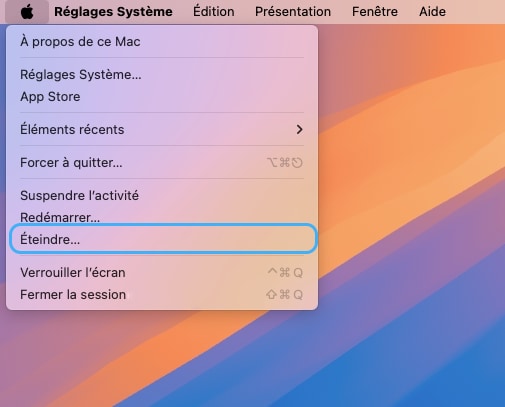
Switch off your MacBook Air and unplug the power supply
🚨 Never carry out any disassembly on a MacBook that is switched on
-
Step 2 of 3 2. Unscrew the bottom case
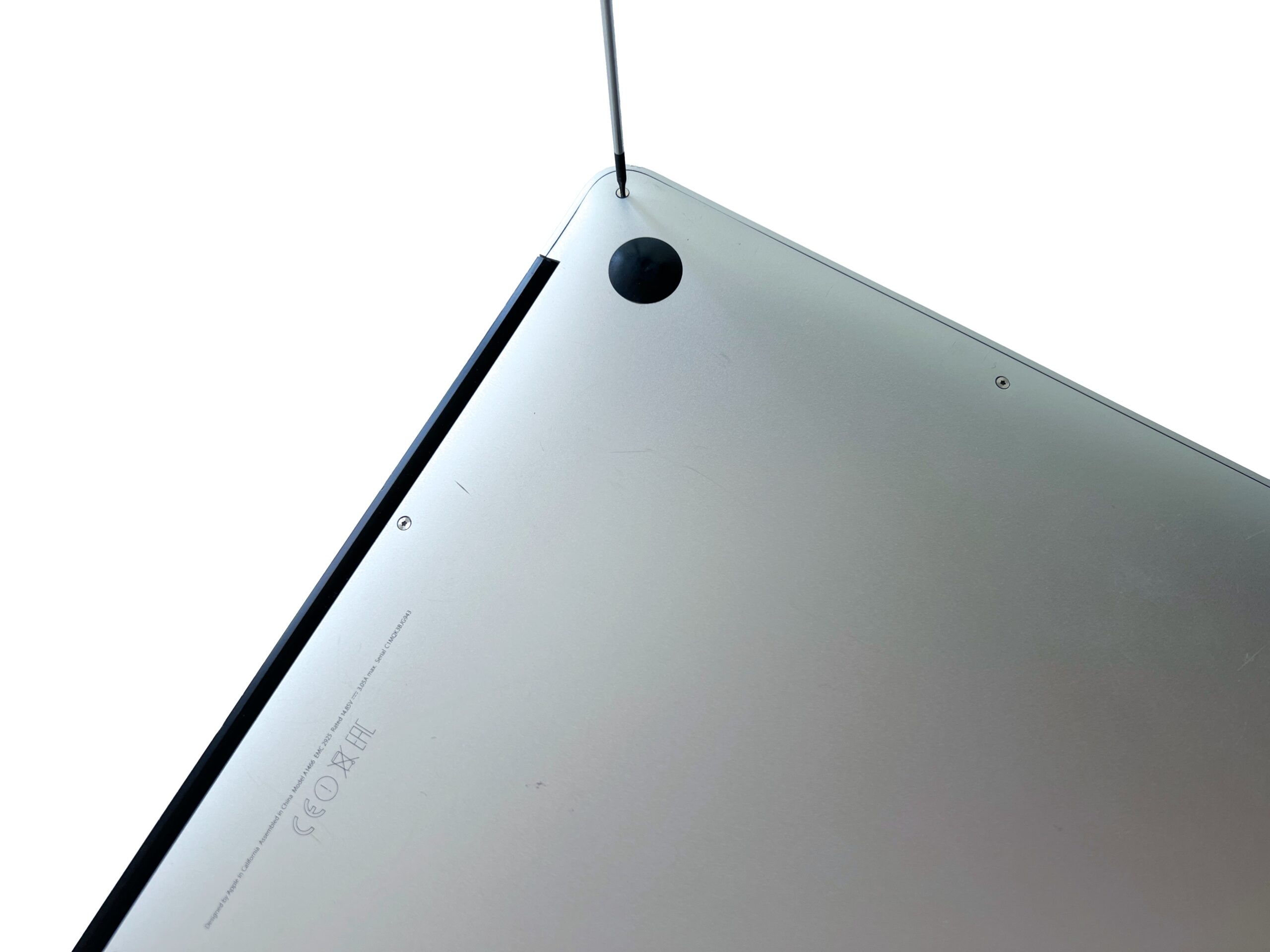
Remove the 10 external MacBook Air screws holding the bottom cover in place using a P5 pentalobe screwdriver
-
Step 3 of 3 3. Remove the bottom case
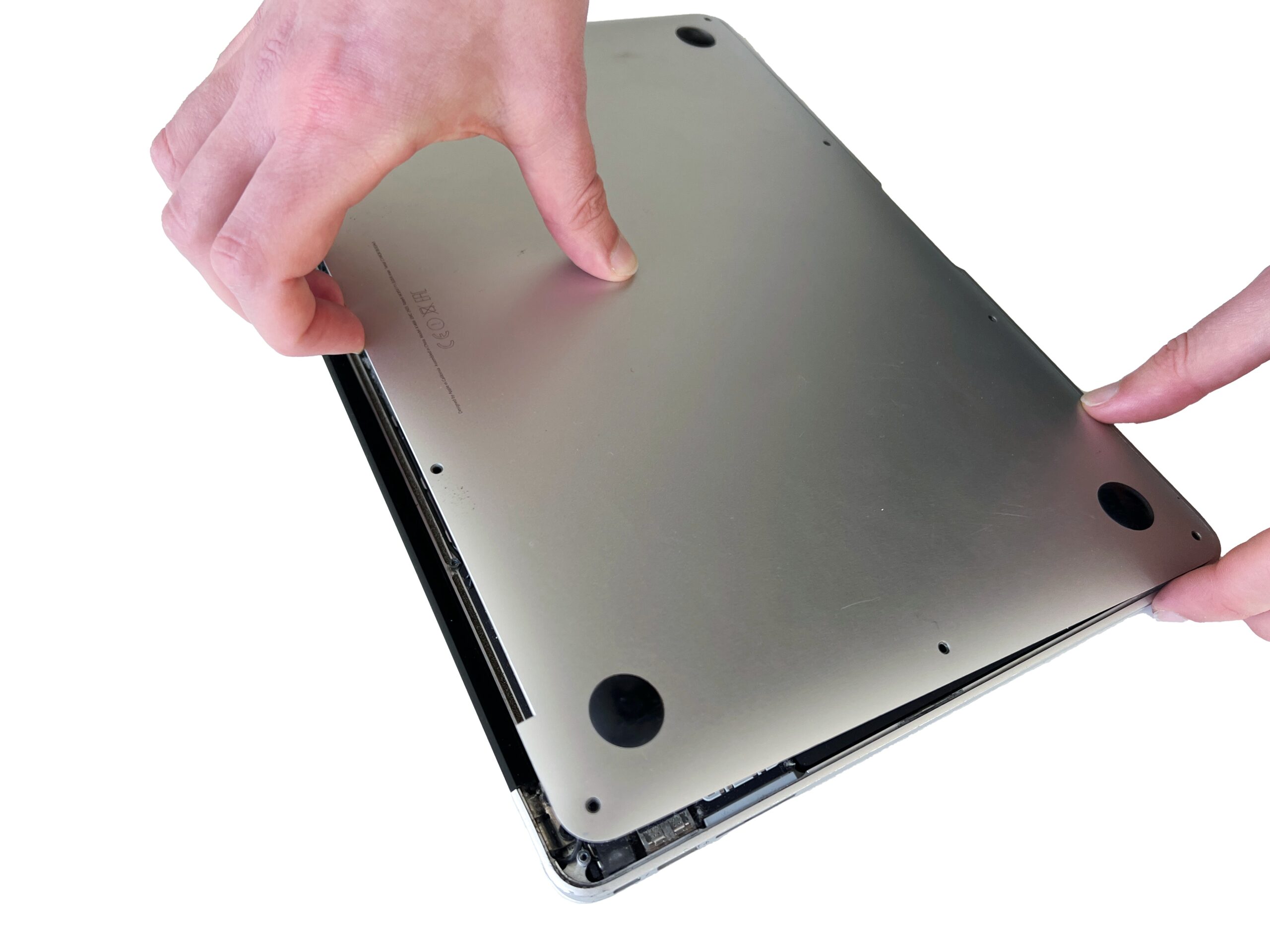
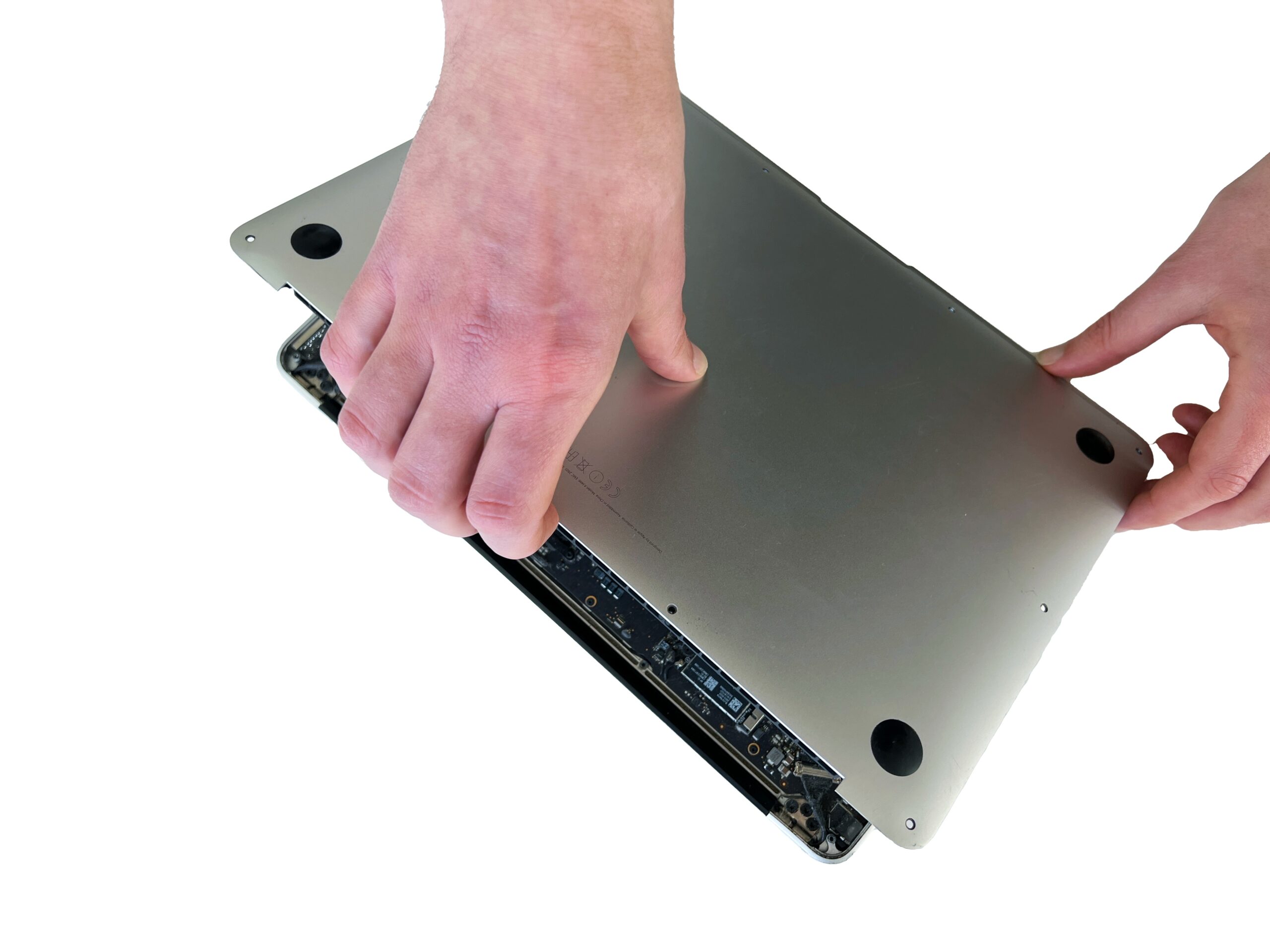
Gently lift the bottom case from the top edge to remove it from the Mac.
💡 If the cover won't lift off, you have probably missed a screw!