


Tutorial: MagSafe Power Cable Replacement MacBook Air 13″ A1466 2013-2017
Your MacBook Air 13″ A1466 no longer charges even though the MagSafe connector is in good condition? This step-by-step tutorial shows you how to replace the MagSafe power cable, which is often the culprit behind charging faults.
Compatible with the 2013, 2014, 2015 and 2017 A1466 models, this illustrated guide lets you carry out the repair easily, with no technical knowledge, using the right tools and the right part.
🛠️ Repair your MacBook Air 13″ for less — get your power supply working again and avoid a costly workshop repair with this clear, safe tutorial.
Compatible models:
MacBook Air 13″ A1466 Mid 2013
MacBook Air 13″ A1466 Early 2014
MacBook Air 13″ A1466 Early 2015
MacBook Air 13″ A1466 2017
Step-by-step guide
-
Step 1 of 8 1. Switch off the MacBook
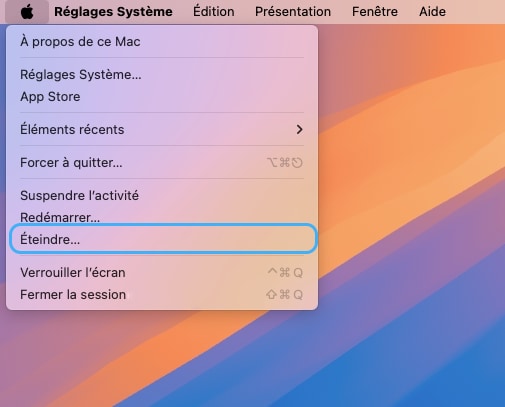
Switch off your MacBook Air and unplug the power adapter
🚨 Never carry out any disassembly on a MacBook that is powered on
-
Step 2 of 8 2. Unscrew the bottom case
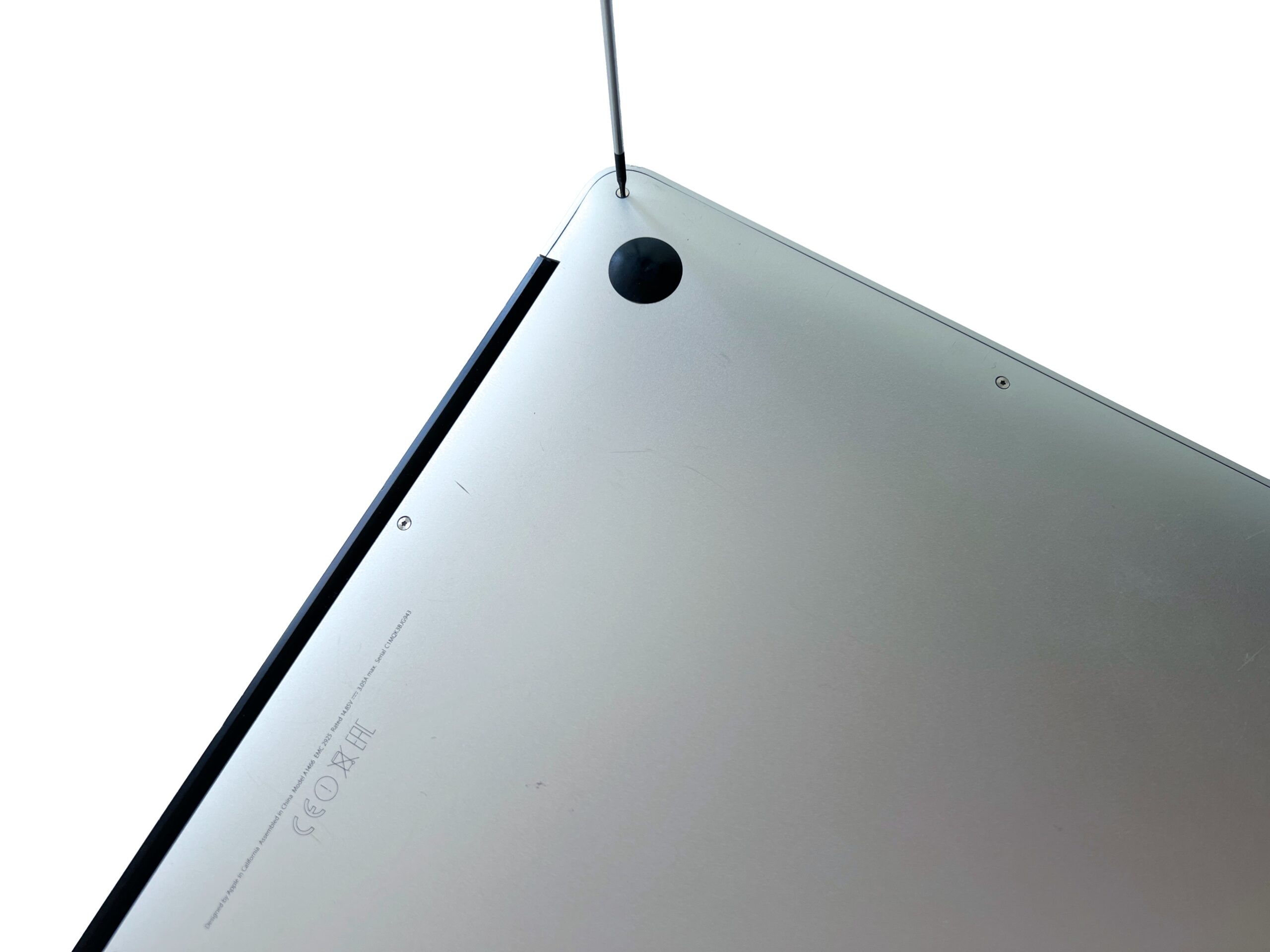
Remove the 10 external screws of the MacBook Air holding the bottom case in place using a P5 pentalobe screwdriver
-
Step 3 of 8 3. Remove the bottom case
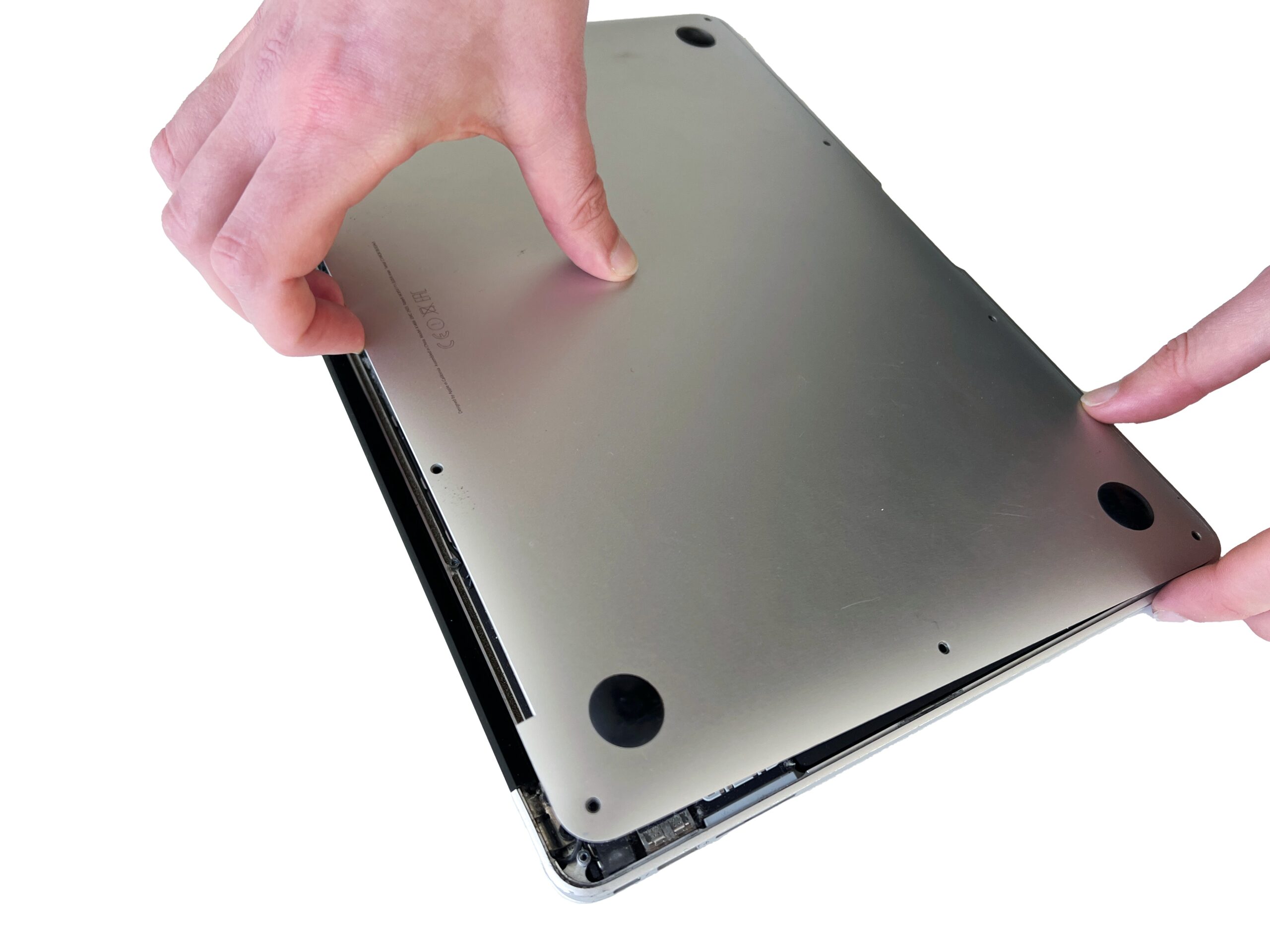
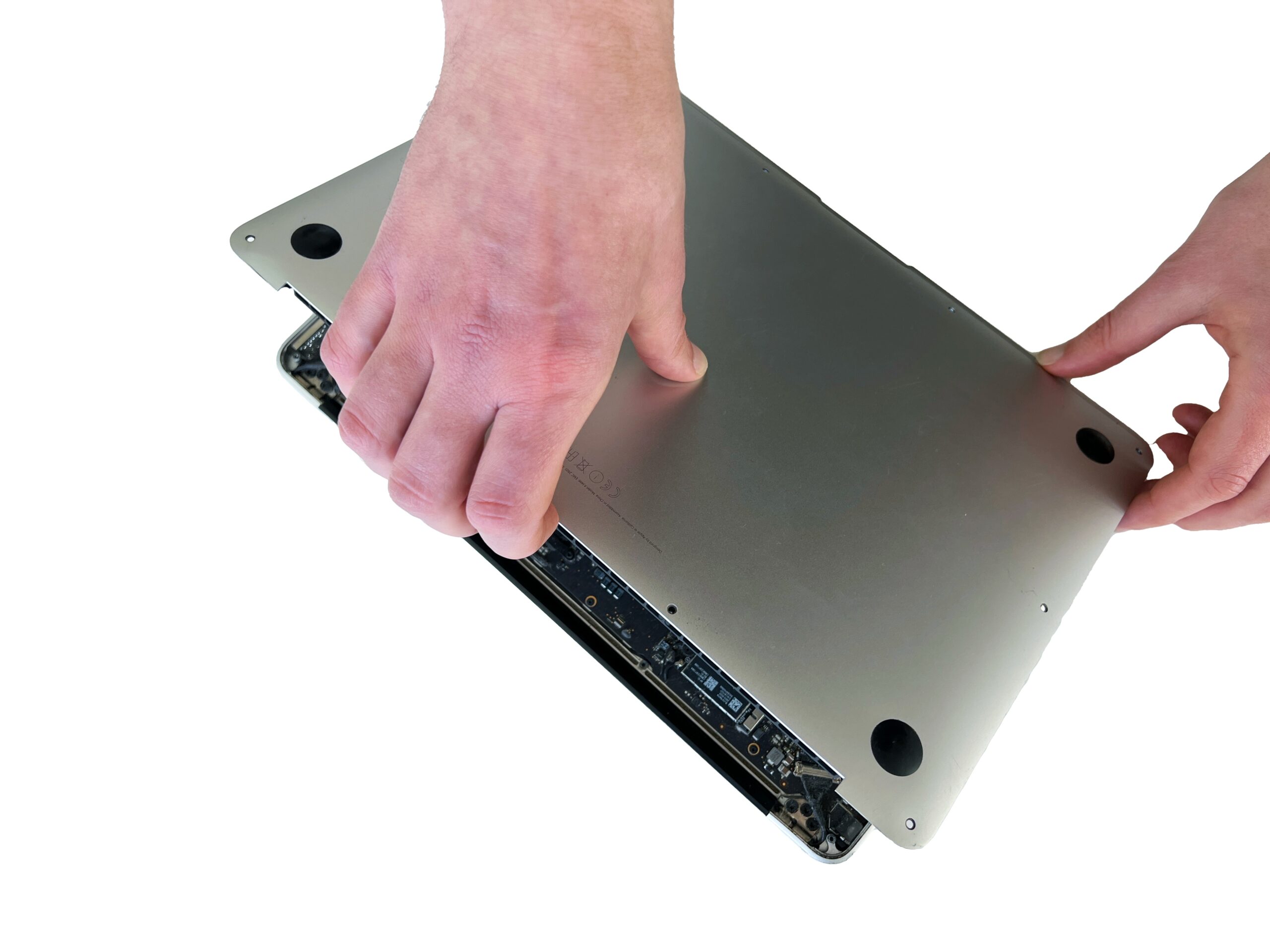
Gently lift the bottom case from the top edge to remove it from the Mac.
💡 If the cover won't lift, you've probably missed a screw!
-
Step 4 of 8 4. Disconnect the battery
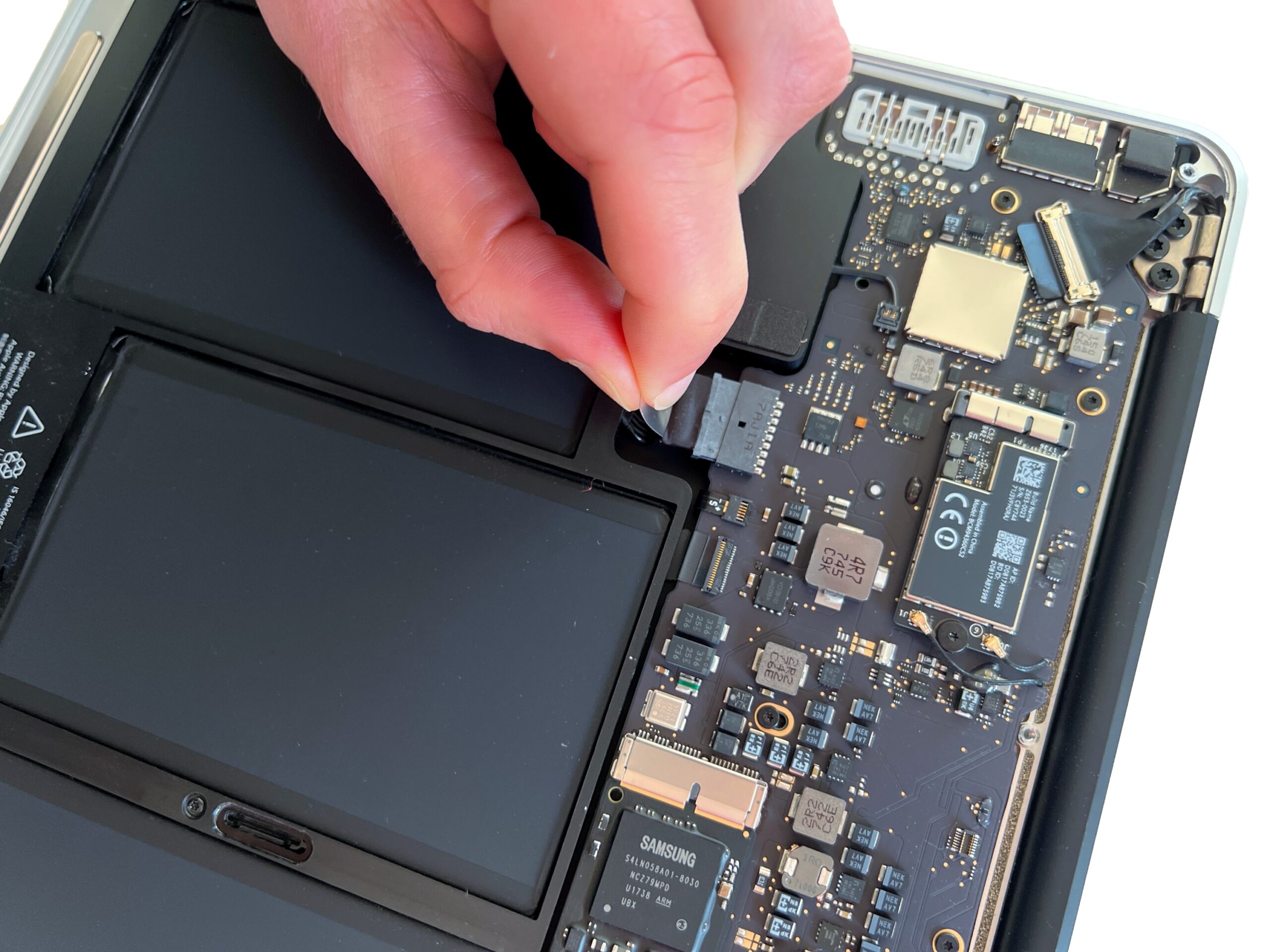
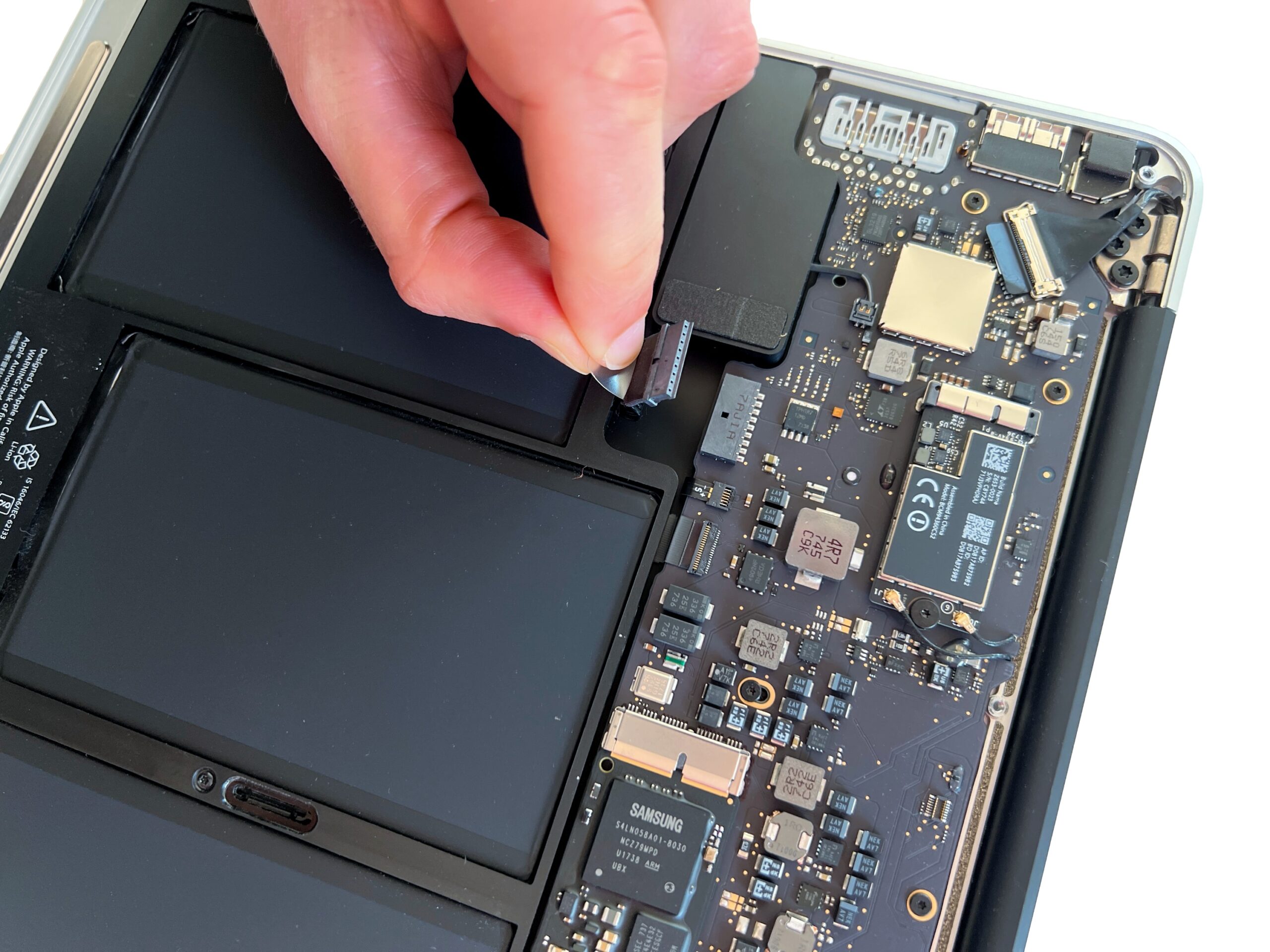
Pull the plastic tab to gently remove the battery connector.
🚨 Always start with this step before touching any other components in the Mac
-
Step 5 of 8 5. Unscrew the battery
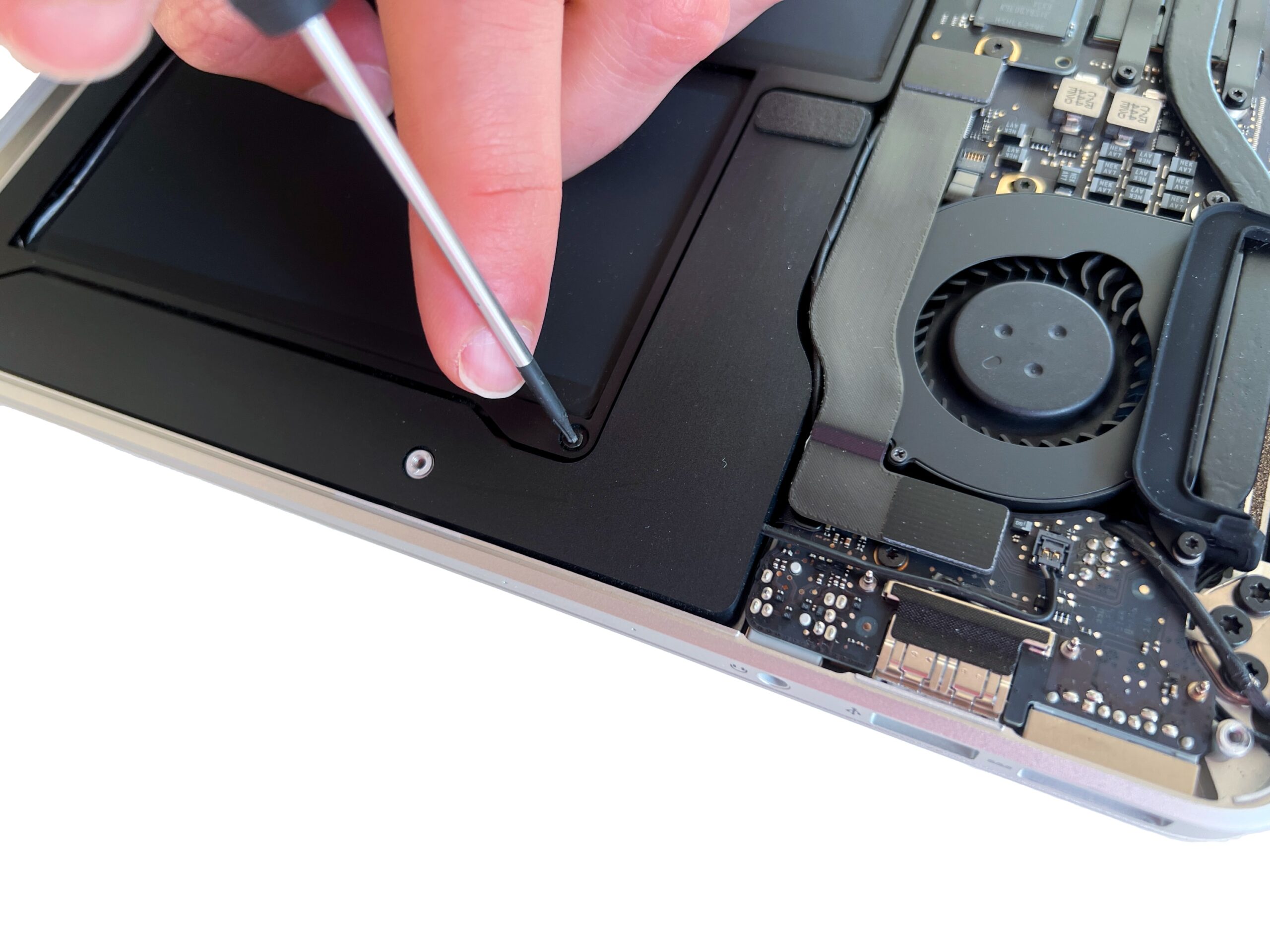
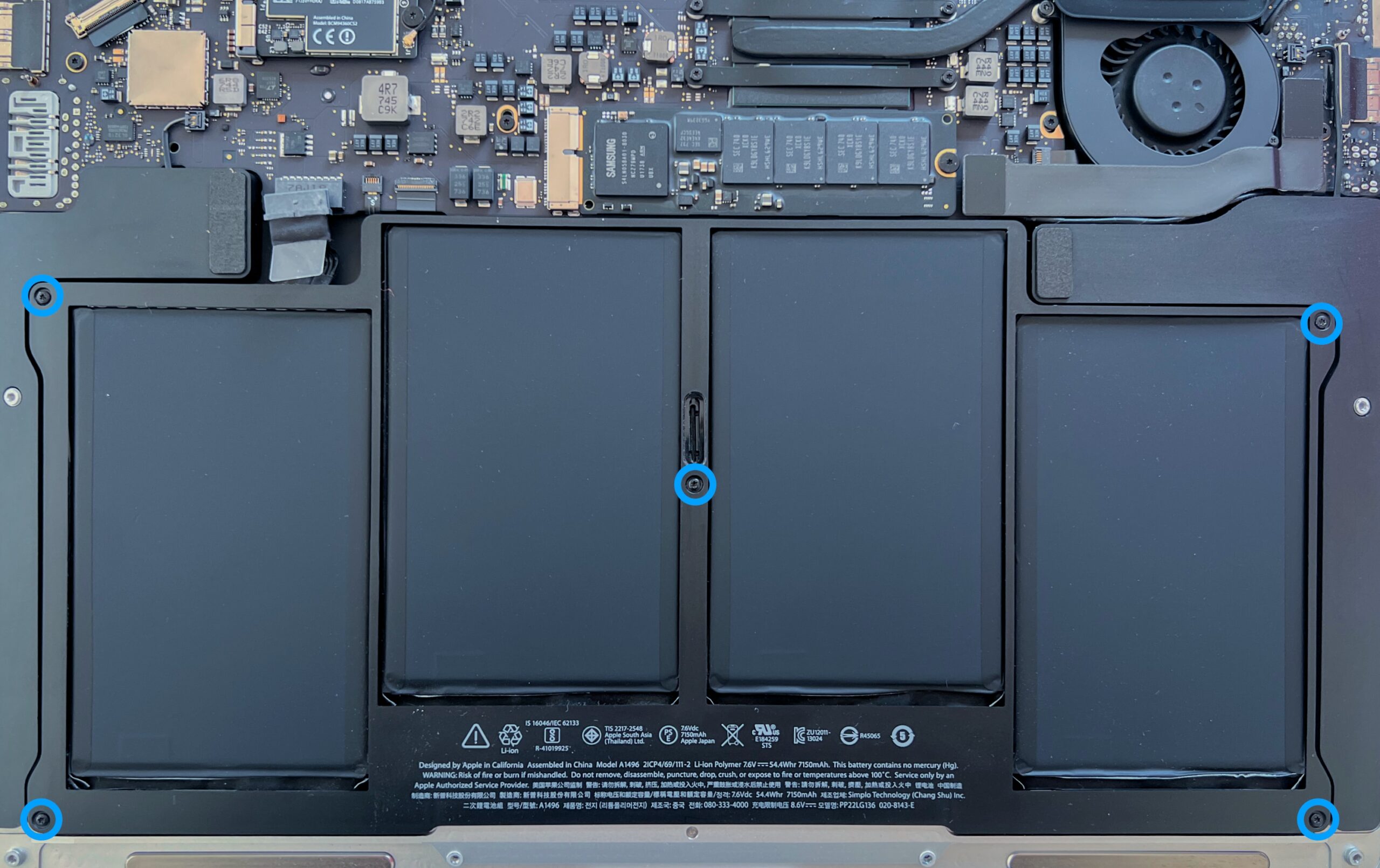
Undo the 5 Torx T5 screws holding the MacBook Air battery in place
If a screw is missing, you can find it in the complete screw kit for this model.
-
Step 6 of 8 6. Remove the battery
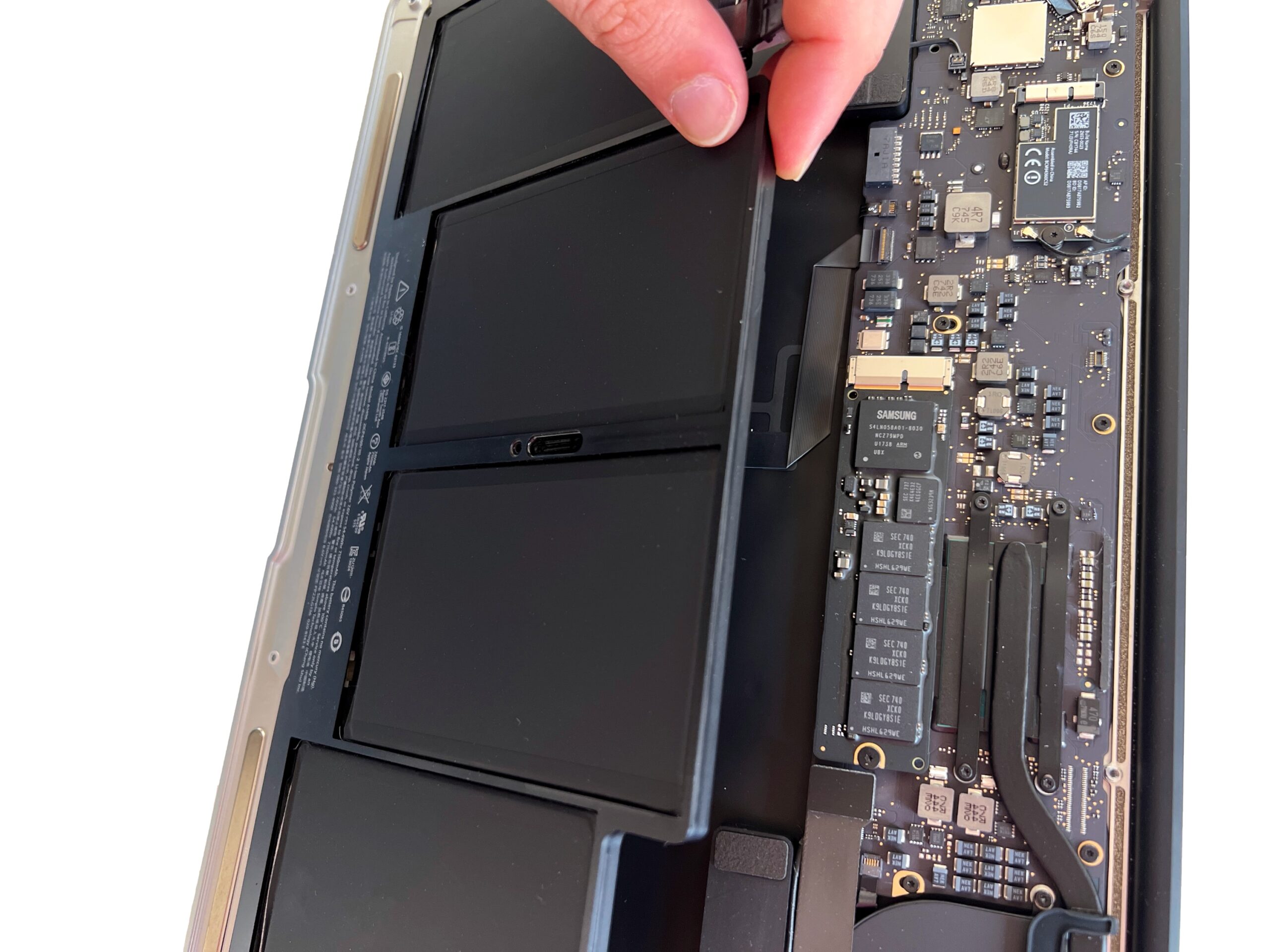
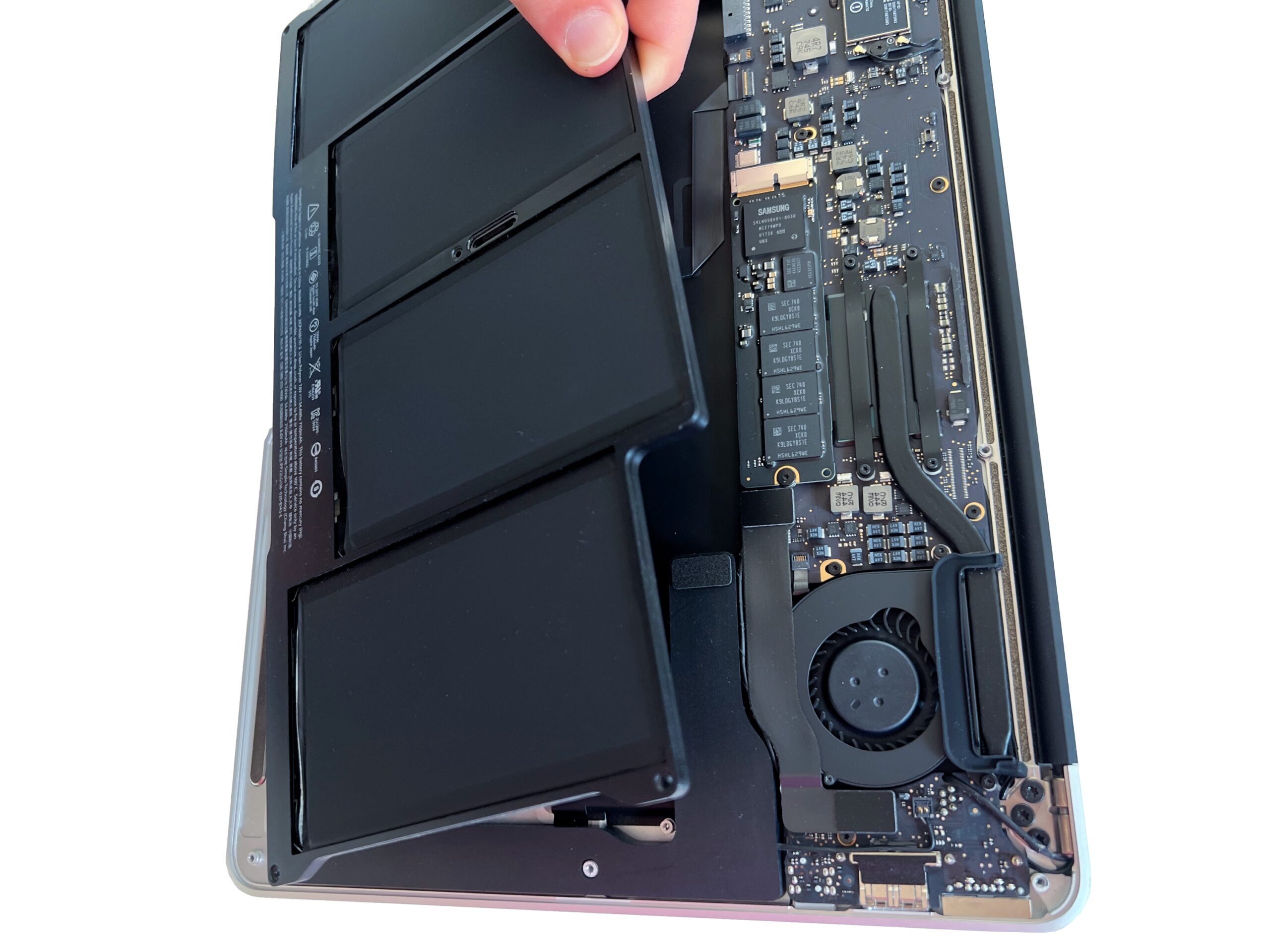
Gently lift the battery to remove it.
The battery should come away easily, without any resistance -
Step 7 of 8 11. Disconnect the MagSafe cable
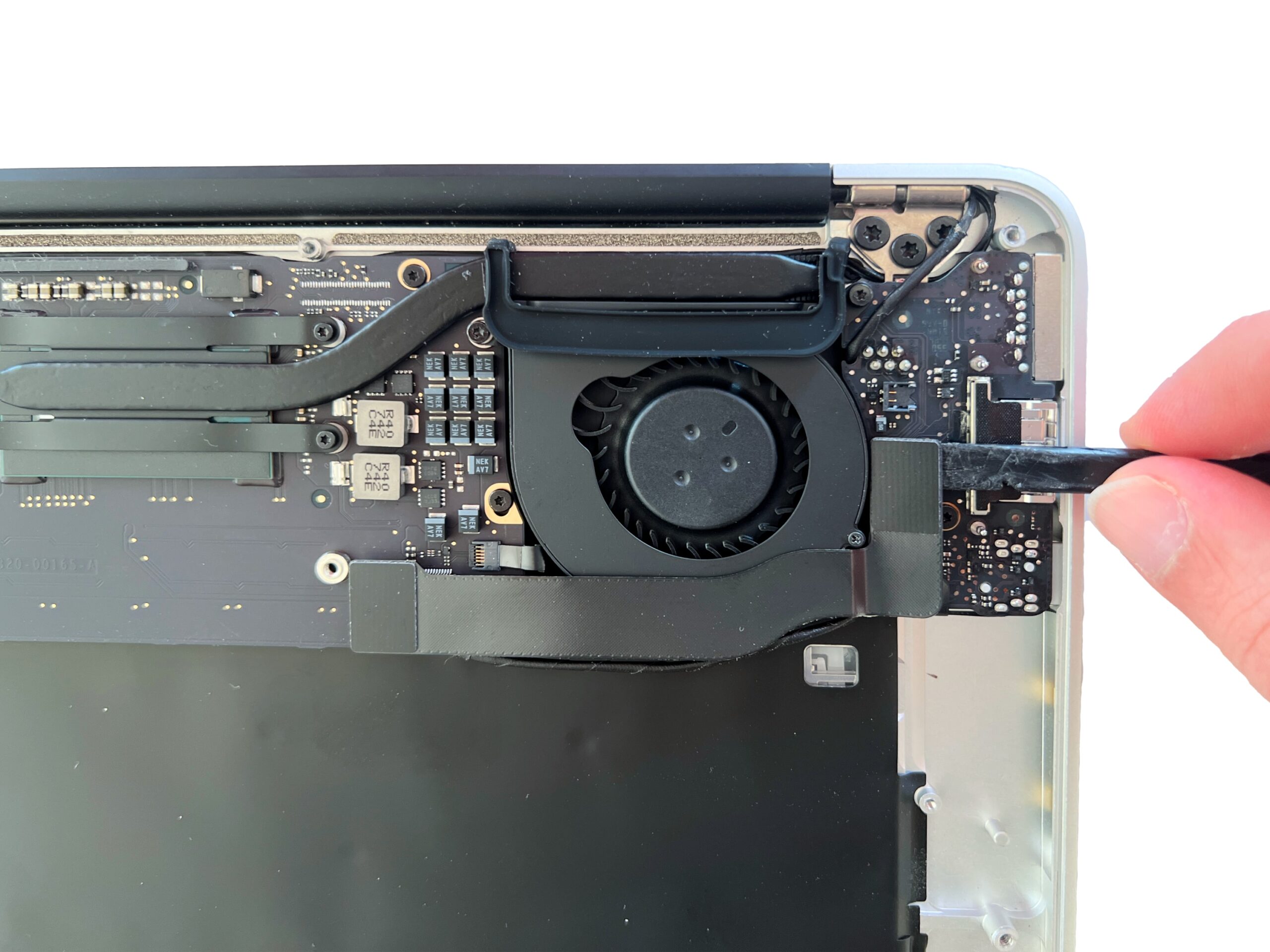
Gently disconnect the cable linking the logic board to the MagSafe board.
Take care not to tear off the connector.
-
Step 8 of 8 12. Remove the MagSafe cable
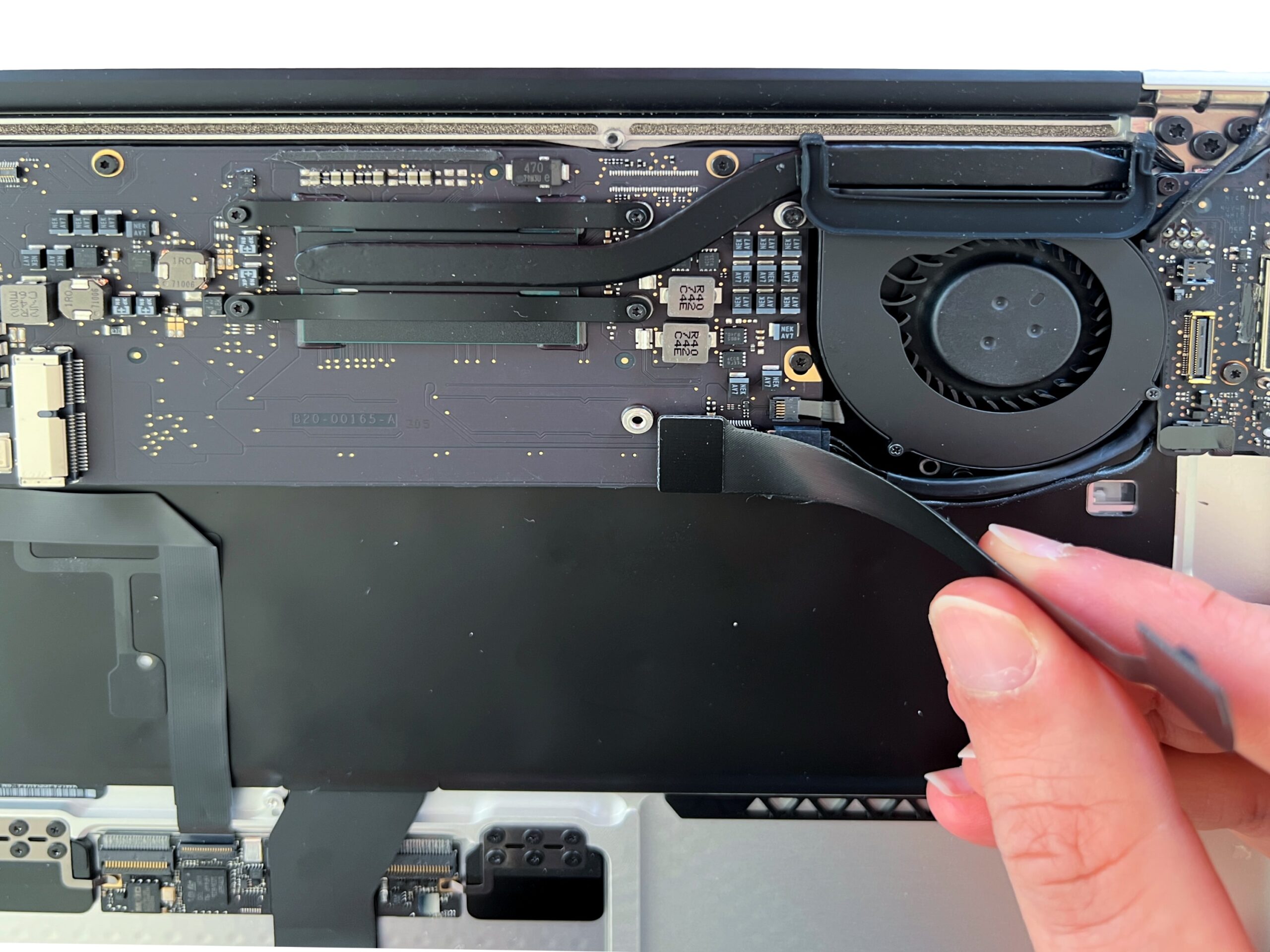
Disconnect the other end of the cable to remove it completely.